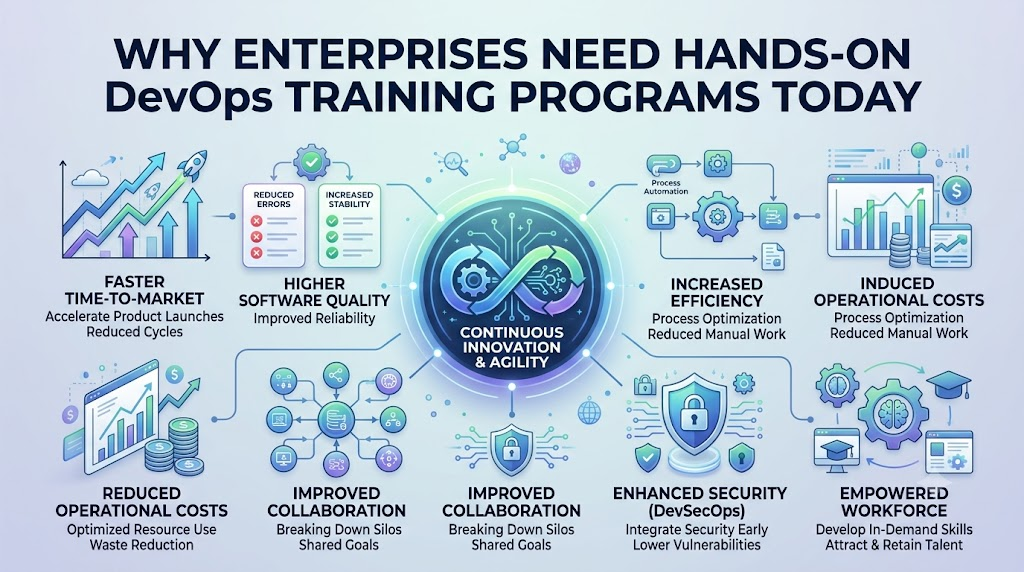
Big companies need fast, safe software to keep their customers happy. Teams must build apps quickly and fix bugs right away. You can learn these practical tech skills by joining DevOpsSchool. This training helps tech workers test tools on real computers.
Software builders and computer helpers used to work in different rooms. They rarely talked, so work slowed down a lot. Now, smart companies teach both groups to work as one team. This teamwork speeds up daily work for everyone.
Employees learn to fix problems on their own. They do not just read heavy books or listen to talks. Instead, they click buttons, run commands, and build systems. Hands-on practice makes hard technical ideas easy to understand.
What Is DevOps in Simple Words?
DevOps means developers and operations teams work together like best friends. Developers write the computer code, while operations keep the machines running. When these two teams unite, software runs smoothly without crashes.
Think of building a toy car with your friend. One person builds the wheels, while the other builds the track. If you test the car together, it runs much faster. DevOps does the exact same thing for computer programs.
+-------------------------------------------------------------+
|                     The Fast Team Loop                      |
+-------------------------------------------------------------+
|   Write Code  -->  Test It Fast  -->  Send to Customers     |
|       ^                                     |               |
|       +---------- Fix Problems <------------+               |
+-------------------------------------------------------------+
Why Books Alone Do Not Help
Reading about tools does not make you an expert builder. You must touch the computer keys and see things work. When code breaks, you must find out why.
Practice teaches workers how to fix broken apps fast. It gives them the courage to try new ideas. Because of this, companies save time and money on big projects.
Key Operational Concepts You Must Know
Tech workers must learn core ideas to run large software setups. These ideas help machines run apps without human errors.
+-------------------------------------------------------------+
|                   Important Tech Concepts                   |
+-------------------------------------------------------------+
|  1. Version Control   -->  A giant undo button for code     |
|  2. Fast Pipelines    -->  A robot conveyor belt for apps   |
|  3. Cloud Boxes       -->  Clean software lunchboxes        |
|  4. System Watchers   -->  Health monitors for computers    |
+-------------------------------------------------------------+
Keeping Track of Code Changes
First, teams use code repositories. This tool acts like a giant undo button for your work. It saves every change a developer makes to a program.
If someone makes a mistake, the team can go back in time. They tap a button to bring back the good code. So, nobody loses their hard work during an accident.
Automatic Assembly Lines for Software
Next, teams build automated delivery pipelines. Think of this tool like a smart conveyor belt in a factory. The robot belt grabs new code and checks it for bugs.
If the robot finds an error, it stops right away. It tells the human builder to fix the mistake immediately. So, bad code never reaches the real customer.
Small Boxes for Computer Apps
Also, workers pack apps inside software containers. A container is like a neat lunchbox for code. It holds the app and everything it needs to run.
Because of this, the app works on any computer without trouble. It runs the same way on a laptop and a big server. This saves engineers hours of annoying setup work.
Platform Implementation vs. Culture — What’s the Real Difference?
Buying fancy computer tools does not solve every problem. Teams must also change the way they speak and share work.
| Feature | Using New Tools (Platform) | Changing How People Act (Culture) |
| Main Goal | Set up robots and cloud machines | Help people talk and share ideas |
| Daily Tasks | Write scripts and install software | Share duties and help teammates |
| Big Win | Fast computer servers that scale | Friendly teams that do not blame others |
| Mistake Reaction | Machines restart broken apps fast | People learn why things broke safely |
Why Good Team Habits Matter Most
A team can buy the best cloud tools in the world. But nothing works if team members hide their mistakes from each other. Good culture means people feel safe when things go wrong.
They talk openly about bugs and fix them together. Nobody gets angry or points fingers at others. As a result, the whole team learns faster every day.
Real-World Use Cases of Modern Operations
Many famous companies rely on these smart engineering habits every single day. Let us look at how they help real businesses win.
+-------------------------------------------------------------+
|                      Real Company Wins                      |
+-------------------------------------------------------------+
|  Banks          -->  Stop thieves and check money fast      |
|  Online Stores  -->  Stay open during huge holiday sales    |
|  Movie Apps     -->  Play videos without any buffering      |
+-------------------------------------------------------------+
Big Banks Protecting Money
Banks must keep your money safe from bad actors. They also need to update their mobile apps every week. So, their software robots check every line of code for safety.
These safety checks run in just a few minutes. If the code is safe, the bank sends it out. Customers get cool new banking features without any security risks.
Online Stores During Holiday Sales
Online stores see millions of shoppers during big holiday sales. If their website crashes, people cannot buy gifts. So, their systems add more servers automatically when shoppers arrive.
When the sale ends, the systems turn extra servers off. This clever trick keeps the website super fast at all times. Also, the store saves lots of money on electric bills.
Video Streaming for Millions of Fans
Streaming apps send movies to phones and TV screens worldwide. Their system watchers check internet speeds every second of the day.
If one internet path gets slow, the system moves the video. It finds a fresh path in less than a second. So, your cartoon never pauses or gets blurry.
Common Mistakes in Operations Engineering
Even smart teams make silly mistakes when learning these tools. Watch out for these traps so you can avoid them.
- Buying Tools Without a Plan: Do not buy apps just because they look cool online.
- Skipping Practice on Real Labs: People forget what they read if they never type the commands.
- Blaming People for Bad Code: Yelling at workers makes them hide problems from the group.
- Forgetting About Safety Checks: Always check for bugs early before sending code to users.
- Doing Steps by Hand: If you must do a task twice, write a script for it.
How to Become an Operations Expert — Career Roadmap
You can become an expert by learning one simple skill at a time. Follow this step-by-step ladder to grow your tech skills.
+-------------------------------------------------------------+
|                     Your Learning Ladder                    |
+-------------------------------------------------------------+
|  Step 5: Master Monitoring  -->  Watch systems like a hawk  |
|  Step 4: Use Cloud Tools    -->  Build servers with code    |
|  Step 3: Pack Containers    -->  Box up apps with Docker    |
|  Step 2: Build Pipelines    -->  Make robot test belts      |
|  Step 1: Learn the Basics   -->  Type commands in Linux     |
+-------------------------------------------------------------+
Step 1: Learn Basic Commands
Start by learning how to talk to computers using text commands. You will type short words to create files and open folders. This basic skill builds the foundation for all future work.
Step 2: Build Delivery Pipelines
Next, teach robots to test code automatically for you. You will write small files that tell the robot what to check. This saves you from checking code by hand every morning.
Step 3: Package Apps in Boxes
After that, learn how to put apps into tidy software containers. This step makes your apps run on any machine in the world. It stops weird errors from bothering your team.
Step 4: Run Cloud Machines
Then, practice building virtual servers with simple code files. You can build fifty cloud computers by running just one command. This makes growing your business very easy.
Step 5: Watch Systems Like a Hawk
Finally, learn how to set up bright dashboard screens. These screens show you if your servers are happy, sad, or tired. You will fix slowdowns before customers even spot them.
FAQ Section
- Can a beginner learn these operational tech skills?Yes, anyone can learn these tools with simple practice on real computers. You just need to follow guides step by step.
- Do I need to be a math genius to do this work?No, you do not need advanced math to build these pipelines. You only need to think clearly and enjoy solving puzzles.
- Why is hands-on training better than watching videos?Videos only show you when things work out perfectly for the teacher. Real labs let you make mistakes and fix them yourself.
- How long does it take to learn these tools?Most people build solid skills in about six months of steady practice. Practicing every day helps you learn much faster.
- Do companies pay well for these skills?Yes, companies pay high salaries to engineers who know these modern tools. These workers help companies save time and build better software.
Final Summary
Modern companies need smart ways to build and ship software fast. When teams work together, they stop arguing and start building great things. Hands-on labs give workers the real practice they need to win.
Also, using automation takes away boring, repetitive daily tasks. People can focus on making fun, helpful apps for their users. Start practicing with real tools today to lead the tech world tomorrow.
Leave a Reply